How to Choose the Best UV Printer for Small Business?
Choosing a UV printer is less about buying the largest machine and more about matching equipment to work you can reliably sell. Grand View Research estimated the global UV-curable inks market at about USD 1.8 billion in 2023 and projected continued growth through 2030. That figure describes the inks market, not printer sales, but it signals demand across applications such as signage, packaging, and product decoration. The opportunity is real. So are the trade-offs.
For a Uv Printer For Small Business, compare the jobs you expect to print: phone cases, acrylic signs, bottles, or short-run promotional items. Then check printable object height, bed size, white-ink performance, adhesion, software, maintenance needs, and local service access. A glossy sample can look convincing under showroom lights. Ask to print your own material, inspect fine text, and price the ink and labor per finished item. Small details matter.
A named expert quotation should be checked against its original interview or publication. No source article or verifiable quotation was supplied for this brief, so attributing invented words to an expert would weaken its reliability. Use this guide to compare realistic production needs, not just advertised speed. Start with your jobs. Then test whether the printer can repeat them consistently, with acceptable waste and a workable margin. The right choice may be smaller than expected—or not. A careful test beats a confident guess.
Define Your Printing Needs and Business Goals
Before comparing UV printers, write down what you expect to print in a normal week. List the materials, such as acrylic signs, coated wood, or small product boxes. Note the largest item you need to print, too. A machine’s advertised print area matters only if your actual products fit. Be specific.
Estimate your weekly order volume and how quickly customers expect delivery. A shop making a few personalized gifts has different needs from one producing batches of retail displays. Record how often jobs change, whether white ink or clear finishes are necessary, and how much setup time each job allows. White ink can expand your options, but it may add upkeep. Ask for a sample made on your own material, then inspect small text, color, adhesion, and edges under ordinary lighting.
Set a realistic spending limit that includes more than the printer. Account for ink, replacement parts, training, ventilation, and time spent cleaning the printhead. These costs are easy to underestimate. Consider who will operate the machine and whether routine maintenance fits into their workday. A modest printer may be the better choice if it handles your core jobs reliably, though I would reconsider that choice if frequent outsourcing delays orders. Write down the three jobs you most want to bring in-house and use them to compare machine specifications.
Compare UV Printer Types, Sizes, and Capabilities
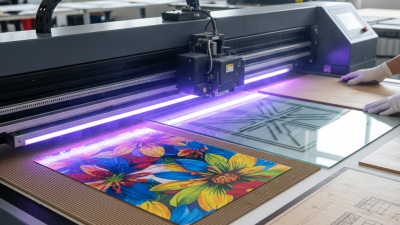
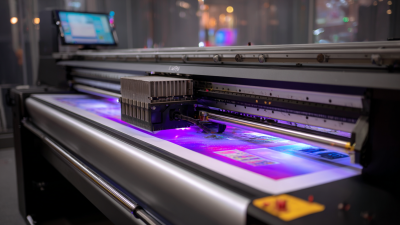
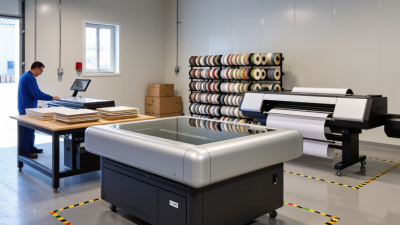
A small business should match printer type to the objects it actually sells. Flatbed UV printers handle rigid items such as phone cases, signs, and small panels. Roll-to-roll models suit flexible media, including decals and banners. Hybrid machines can manage both, but often cost more and need extra floor space. Measure your largest common item, then check the printable area and maximum material height—not just the machine’s outer dimensions. Small, but important.
Capabilities matter as much as format. Compare usable print speed, white-ink support, varnish options, and the thickness of materials the printer can accept. Ask for a sample using your own substrate; glossy acrylic and textured wood can produce very different results. Grand View Research estimated the global UV printing market at USD 1.8 billion in 2023, projecting a 9.2% compound annual growth rate from 2024 to 2030. That market forecast signals interest, not guaranteed sales for any individual shop.
Tips: List your three most frequent jobs and measure their materials before comparing machines. Request production-speed figures for the exact print mode you plan to use. Check ventilation, maintenance access, and ink costs, too. I’d be cautious about buying extra capacity “just in case”; it can become expensive unused space.
Assess Print Quality, Materials, and Production Speed
Print quality is more than a high DPI figure. Inspect small text, fine lines, and solid-color areas under ordinary room lighting. Check for banding, uneven white ink, and color shifts across several copies. A sample on a flat sheet may look sharp, yet curved objects can expose alignment problems. Test the items you actually plan to sell. FESPA’s 2023 Print Census reported that 83% of surveyed print businesses expected sales to rise over the following year. That outlook makes consistent output important, not just an impressive first sample.
Materials matter. Ask whether the printer handles your real substrates, such as acrylic, wood, coated metal, or phone cases, and test adhesion after curing. Include textured and dark surfaces; white ink coverage can affect both appearance and production time. Keep a written record of settings. It is easy to overlook this.
For speed, compare finished, usable pieces per hour—not a maximum speed quoted for a simple print mode. Count loading, curing, repeat passes, and cleanup. A compact shop may value reliable short runs more than a fast headline rate. I would still leave room for doubt: one successful test does not prove every batch will match.
Calculate Total Costs and Ongoing Support Requirements
A UV printer’s purchase price is only the starting point. Build a three-year cost estimate before comparing models. Include delivery, setup, software, training, and any required workspace changes. Then estimate monthly ink use from your real order mix, not the supplier’s best-case sample. Small text, white ink, and frequent color changes can affect consumption. Keep a little room in the budget for mistakes. They happen.
List the materials you expect to print, such as phone cases, signs, or coated panels. Test samples and record how much ink and time each job takes. Add substrate costs, electricity, cleaning supplies, replacement parts, and rejected prints. A simple spreadsheet works. It may not be perfect, but it can reveal whether low-volume work covers the machine’s ongoing costs. Compare costs per saleable item, not just per print.
Support matters when a clogged nozzle or software issue interrupts a deadline. Ask what the warranty covers, how quickly technicians respond, and whether remote help is available. Check the price and delivery time for common parts, plus the cost of maintenance visits. Ask how often routine cleaning is needed and how much staff training costs. A cheap service plan may exclude useful repairs. Read the details, and leave some budget for downtime.
How to Choose the Best UV Printer for Small Business? — Calculate Total Costs and Ongoing Support Requirements
| Printer category |
Typical work area |
Best suited for |
Printer purchase |
Setup & training |
Annual supplies & routine parts |
Annual support allowance |
Estimated 3-year total |
Support requirements to check |
| Compact desktop flatbed |
About 12 × A3-size class; confirm the usable print area |
Personalized gifts, small signs, phone cases, and short runs |
$8,000 |
$500 |
$1,800 |
$600 |
$15,200 |
Check remote troubleshooting, onboarding, ink availability, and cleaning guidance during low-use periods. |
| Mid-size benchtop flatbed |
Roughly 24 × 36 in class; verify bed size and maximum media height |
Growing shops producing signage, promotional items, and multi-piece batches |
$22,000 |
$1,500 |
$4,200 |
$1,500 |
$39,100 |
Ask about response times, technician availability, parts lead times, preventive maintenance, and operator training. |
| Production flatbed |
Around 4 × 8 ft class; larger formats vary by configuration |
Higher-volume signage, rigid panels, and businesses with regular production schedules |
$48,000 |
$3,000 |
$9,000 |
$3,500 |
$85,500 |
Confirm on-site service coverage, uptime commitments, spare-parts access, installation needs, and service-contract exclusions. |
Cost basis: Illustrative planning estimates in USD, not vendor quotations. The three-year total is calculated as purchase price + setup and training + 3 × (annual supplies and routine parts + annual support allowance). Actual costs depend on workload, ink coverage, media, local service rates, warranty terms, and printer configuration. Request a written quote that specifies included training, warranty coverage, response times, travel fees, maintenance items, and consumable pricing.
Choose a Printer That Fits Your Budget and Growth Plans
A UV printer should fit the jobs you can sell now, not just the products you hope to offer later. The U.S. Small Business Administration’s 2024 Frequently Asked Questions reports 34.8 million small businesses nationwide. That scale is a reminder: small firms often need to protect cash while testing demand. The Federal Reserve’s 2024 Report on Employer Firms found that 77% faced rising costs for goods, services, or wages. So compare the full cost, not only the purchase price: ink, printheads, maintenance, training, and downtime all affect margins.
Match the printer’s bed size and output speed to real orders. If customers mainly want phone cases, signs, or small gifts, a compact machine may leave more cash for materials and marketing. If larger jobs are already arriving, check that the print area and daily capacity will not become bottlenecks. Ask about service response times and replacement-part availability. A low quote can be tempting. It can also hide expensive delays. I might still misjudge future demand; that is a reason to check upgrade options before buying.
Tips: Request a sample using your actual material, then inspect fine text, color, and adhesion. Calculate cost per saleable item, including test prints and waste. Keep a cash reserve for repairs, and choose a model with room to grow only when likely orders justify the added cost.