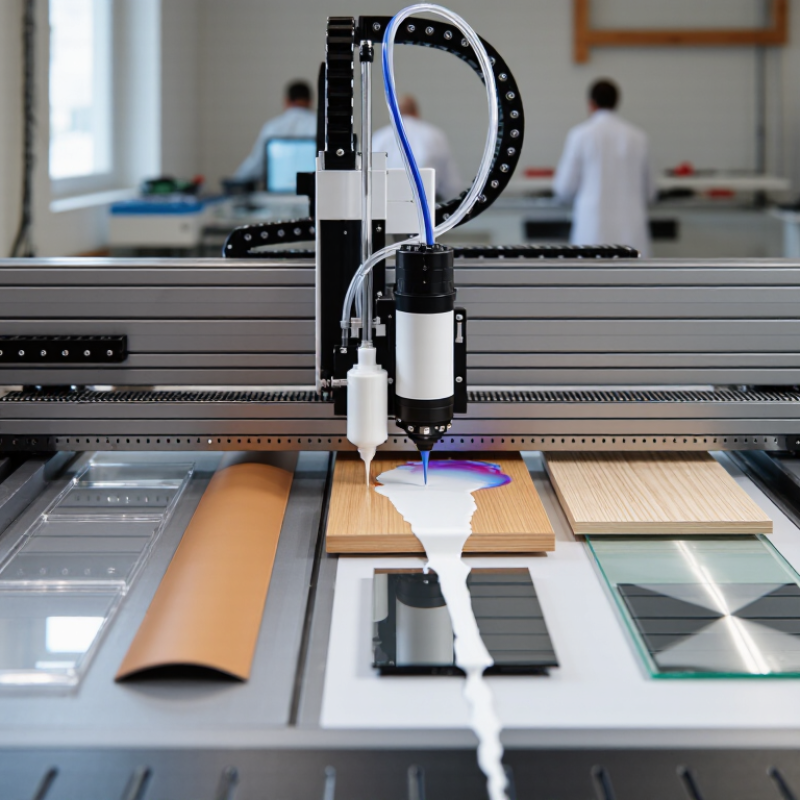
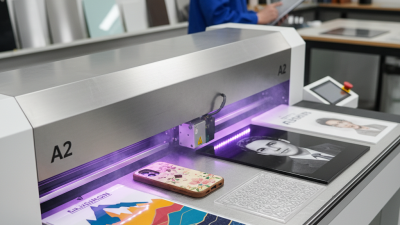
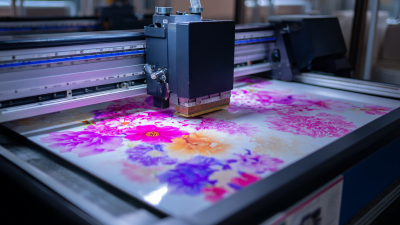
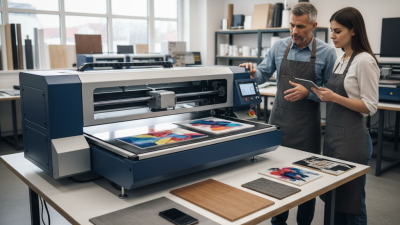
Choosing the best Uv Printer A2 from China requires more than comparing prices and advertised resolution. A reliable machine must produce sharp colors on acrylic, leather, wood, glass, and coated metal. It should also maintain stable white ink circulation during long production hours. Small details matter. A poorly positioned printhead can create visible banding across a phone case. Weak software may waste an entire sheet before the operator notices an error.
Michael Chen, a China-based UV printing engineer with more than fifteen years of equipment experience, explains, “The best A2 UV printer is not always the fastest model; it is the machine that delivers consistent results after months of daily use.” His view reflects a practical purchasing concern. Speed attracts attention, but repeatable output protects profit. Buyers should inspect printhead brands, ink compatibility, curing performance, maintenance access, and after-sales support. They should also request real sample prints, not only polished showroom images.
There is no perfect machine. Every Uv Printer A2 has compromises involving cost, speed, noise, software, or maintenance. Some models look impressive during a short demonstration, yet perform differently in a busy workshop. That possibility deserves honest attention. Ask for nozzle-check patterns, color samples, and production videos with visible timestamps. Confirm whether technicians can respond quickly in your region. A careful evaluation may feel slower. It usually prevents expensive disappointment later.
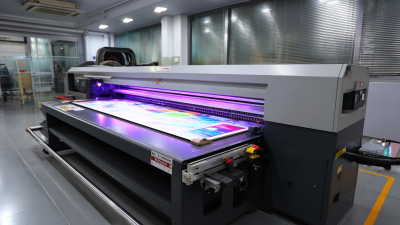
An A2 UV printer produces images on a maximum area close to 420 by 594 millimeters. The actual print size may be smaller because of margins and fixture space. It uses piezoelectric printheads to place tiny ink droplets on a surface. UV LED lamps cure each layer almost immediately. The finished image can look sharp, raised, and highly saturated.
The printing process needs careful setup. The operator cleans the material, fixes it to the bed, and checks the printhead height. White ink can create a base layer on dark acrylic, wood, glass, or coated metal. Clear varnish can add gloss or texture. The result feels almost instant. Yet this speed can mislead. Poor surface preparation may cause weak adhesion, uneven gloss, or small areas of peeling. Ink compatibility also changes between materials.
When choosing an A2 UV printer from China, request real sample prints on your intended materials. Check nozzle consistency, curing uniformity, software stability, and color control. A practical test should include fine text, solid dark areas, and skin-tone images. Ask for the true printable width, maintenance schedule, spare-part availability, and technician training. A reliable supplier should explain limitations clearly, not promise perfect results. The best machine is usually the one that matches your workload, operator skill, and service expectations. Use approved inks and follow local ventilation and workplace safety requirements.
A high-quality A2 UV printer should begin with accurate media handling, not impressive speed claims. The A2 format measures 420 × 594 millimeters, so the vacuum table must hold sheets flat without edge lift. A stable gantry, adjustable pin alignment, and a repeatability near 0.1 millimeter help preserve small text and border alignment. These details matter more than a large resolution number.
According to Grand View Research, the global UV printing market was valued at about USD 1.88 billion in 2023, with growth projected through 2030. That expansion reflects demand for short runs, customized products, and fast curing. For buyers, useful features include UV-LED cooling, variable droplet control, white ink circulation, and optional varnish channels. A practical A2 model should print on coated paper, acrylic, wood, leather, and selected rigid materials. Test samples reveal more than brochures.
Workflow quality also defines the machine. A reliable RIP should provide ICC color management, automatic nozzle checks, and repeatable profile storage. Operators should inspect banding under side lighting. It is easy to miss. The Fogra Digital Printing Process Standard highlights calibration, measurement, and process control as foundations of consistent output. Service access matters too: removable maintenance panels, clear ink paths, and documented cleaning intervals reduce downtime. I would still question any advertised production rate, because dense white ink layers can reduce real-world speed sharply.
Which features define a high-quality A2 UV printer? Use the following practical benchmarks when evaluating models for professional production.
| Evaluation Dimension | Recommended Benchmark | Why It Matters | How to Verify Before Purchase | Quality Indicator |
|---|---|---|---|---|
| Maximum Print Format | At least 420 × 594 mm, matching the standard A2 paper size, with practical margins for media handling. | A true A2 working area supports posters, signage, packaging prototypes, artwork, and customized panels without excessive trimming. | Request a technical drawing showing the actual printable area, platen dimensions, and edge margins. | Full A2 coverage with stable positioning across the entire bed. |
| Printhead Configuration | Industrial-grade piezoelectric printheads with a documented nozzle layout and replaceable components. | Printhead quality affects resolution, droplet consistency, color accuracy, maintenance frequency, and operating cost. | Check the printhead model, nozzle count, recommended ink type, expected service life, and replacement cost. | Consistent fine lines, smooth gradients, and limited banding during long print runs. |
| Resolution and Pass Modes | Selectable resolutions commonly ranging from approximately 600 × 600 dpi to 1,440 × 1,440 dpi, depending on the production mode. | Multiple pass modes allow the operator to balance image detail, ink usage, and production speed for different applications. | Inspect test prints containing small text, skin tones, gradients, and solid color blocks at different speeds. | Sharp details at higher-quality settings and acceptable color density in production modes. |
| Ink Channels | At least CMYK; CMYK plus white ink is preferred. Optional light colors, varnish, or additional channels may improve specialized output. | White ink enables printing on transparent, colored, and dark substrates. Varnish can add gloss, texture, or spot effects. | Confirm the number of channels, supported ink configurations, white-ink circulation method, and software compatibility. | Accurate color separation and even white coverage without frequent sedimentation problems. |
| UV Curing System | LED UV curing, commonly operating around 395–405 nm, with adjustable intensity and reliable heat management. | Controlled curing determines adhesion, scratch resistance, surface finish, and compatibility with heat-sensitive materials. | Ask for curing-power specifications, lamp cooling details, curing tests, and supported substrate thicknesses. | Fully cured prints with no tacky surface, color bleeding, or excessive substrate deformation. |
| Color Management | A professional RIP workflow with ICC profile support, linearization, ink limits, and separate control of white ink and varnish. | Hardware alone does not guarantee color accuracy. Proper profiling improves repeatability between jobs and materials. | Request the supported RIP software, sample ICC profiles, color-management workflow, and spectrophotometer compatibility. | Repeatable color output across batches and predictable results on different media. |
| Print Speed | Published speed should be specified by mode, such as draft, production, and high-quality output, rather than as one maximum figure. | Maximum speed often uses lower resolution or reduced ink density. Mode-based data provides a more realistic production estimate. | Compare the stated speed with a timed A2 test using the intended resolution, number of ink layers, and white-ink settings. | Stable throughput that remains consistent during extended operation. |
| Material Compatibility | Support for rigid and flexible media such as acrylic, glass, ceramic, metal-coated sheets, PVC, wood, leather, and selected films. | Broader substrate compatibility increases the machine’s commercial usefulness and reduces the need for separate equipment. | Conduct adhesion and curing tests on the exact materials used in the planned application. | Good adhesion, clean edges, and consistent curing on approved substrates. |
| Vacuum Table and Media Handling | A stable vacuum bed, adjustable suction zones, accurate registration, and a flat working surface. | Reliable media holding reduces movement, ghosting, registration errors, and image distortion during printing. | Test thin sheets, rigid boards, and uneven materials. Check whether vacuum zones can be controlled independently. | Uniform media contact and accurate print alignment across the A2 area. |
| Maximum Substrate Thickness | A height-adjustable carriage with a clearly specified working range; many A2 flatbed designs support several millimeters of material thickness. | Adjustable height allows printing on boards, plaques, panels, and specialty objects while protecting the printhead. | Confirm the actual clearance, automatic height detection, anti-collision protection, and allowable material weight. | Accurate height control without carriage impact or uneven ink deposition. |
| White-Ink Management | Continuous circulation or agitation, filtered ink delivery, and software controls for underflood, overflood, and spot-white layers. | White ink contains heavy pigments that can settle. Effective circulation helps reduce clogging and maintains opacity. | Observe the circulation system, ask about recommended idle procedures, and review nozzle-check results after downtime. | Stable opacity and reliable white-ink performance after routine idle periods. |
| Maintenance Design | Accessible capping station, automatic cleaning functions, replaceable dampers and filters, and a clear daily maintenance procedure. | Simple maintenance reduces downtime, protects the printhead, and lowers long-term operating costs. | Request a maintenance schedule, consumables list, cleaning video, and estimated annual maintenance cost. | Routine cleaning can be completed quickly without specialized tools. |
| Mechanical Accuracy | Rigid frame construction, precision linear motion, stable stepper or servo drive, and a level print bed. | Mechanical stability supports accurate dot placement and helps prevent banding, vibration, and registration errors. | Print repeated fine-line patterns and large solid blocks. Listen for abnormal vibration during carriage movement. | Uniform lines, smooth carriage travel, and consistent registration over long runs. |
| Operating Environment | A controlled workspace with suitable temperature, humidity, ventilation, and dust management according to the ink supplier’s specifications. | UV ink viscosity, nozzle reliability, curing behavior, and adhesion can change when environmental conditions fluctuate. | Verify the recommended temperature and humidity range and determine whether ventilation or air filtration is required. | Stable print quality across normal operating shifts. |
| Electrical and Safety Features | Overload protection, emergency stop, UV shielding, grounded electrical design, and appropriate conformity documentation for the destination market. | Safety systems protect operators and reduce electrical, optical, and mechanical risks in daily production. | Inspect the safety labels, emergency-stop function, electrical documentation, and applicable compliance certificates. | Clearly documented safety controls and professional machine construction. |
| Software and Connectivity | Reliable RIP compatibility, USB or network connectivity, job preview, nozzle checks, calibration tools, and print-queue management. | Efficient workflow software improves productivity and makes complex white-ink or varnish jobs easier to manage. | Request a live demonstration using the intended file formats, including PDF, TIFF, PNG, and layered artwork where applicable. | Simple job setup, predictable output, and easy recovery after interruptions. |
| After-Sales Support | Remote technical support, installation guidance, operator training, spare-parts availability, and documented warranty terms. | Support quality directly affects uptime, especially when printhead or ink-delivery issues occur. | Ask for response times, support channels, spare-parts lead times, training content, and warranty exclusions. | Fast access to troubleshooting resources and commonly needed replacement parts. |
| Total Cost of Ownership | Evaluate purchase price together with ink consumption, printhead replacement, maintenance parts, electricity, labor, and downtime. | A lower initial price may result in higher operating costs if ink delivery, maintenance, or support is inadequate. | Calculate the estimated cost per square meter using actual ink prices, coverage, maintenance intervals, and expected utilization. | Transparent operating costs and a realistic return-on-investment estimate. |

Selection tip: The best A2 UV printer is not necessarily the fastest or least expensive model. Prioritize verified print quality, dependable white-ink operation, suitable material compatibility, maintainability, safety, and long-term support. Always request a production sample using your own artwork and substrates before making a final decision.
Chinese A2 UV printers often offer strong value for small studios and custom-product workshops. In practical tests, many produce sharp text, smooth gradients, and dense color on coated boards, acrylic, wood, and phone cases. A typical A2 bed handles small signage without requiring a large production floor. Print speed varies widely, however. A machine advertising high speed may reduce quality at fine resolution. Slow down.
Performance depends on more than the printhead. Stable ink delivery, accurate platform movement, and reliable curing lamps matter every day. I would inspect a 6-point text sample, skin tones, and a solid black block before buying. Check the result under normal office lighting. Some prints look excellent under showroom lights but reveal banding near a window.
White ink circulation also deserves attention. Poor maintenance can cause blocked nozzles and wasted material.
Purchase prices from China are often competitive, but the real cost includes shipping, installation, spare parts, ink, and technical support. A cheaper unit may become expensive if replacement parts arrive slowly. Ask for maintenance instructions, test files, warranty terms, and a live demonstration using your materials.
Supplier communication can be uneven. That is a risk. My own evaluation would prioritize consistent output over the fastest advertised speed. A slightly slower printer may deliver fewer rejected pieces and steadier monthly costs. Yet no single specification proves long-term reliability; local service access and operator skill can change the result.
An A2 UV printer is suitable for small, detailed products rather than oversized signage. It can print on acrylic, coated metal, glass, wood, PVC, leather, paperboard, and some rigid plastics. Surface preparation matters. Dust, oil, or uneven coatings can weaken adhesion. A quick test print is essential, especially on glass and untreated wood. Always check the recommended material thickness and curing performance.
A2 UV printers work well for custom plaques, packaging samples, wedding invitations, desk signs, phone cases, artwork, and short-run promotional items. White ink can brighten dark materials, while varnish adds selected gloss or texture. An acrylic plaque may need a white underlayer for clear images. Wood can produce attractive grain effects, but its color may change the final image. Small batches are practical.
Details matter.
When comparing a Chinese A2 UV printer, examine its height adjustment, vacuum platform, ink circulation, printhead protection, and software support. A stable platform helps prevent blurred edges on thin cards. A reliable curing system reduces smearing, but excessive exposure may affect delicate materials. The common mistake is trusting a sample without testing production conditions. Temperature, humidity, and handling can change results. I would test several surfaces, scratch the printed area, and inspect it after twenty-four hours before choosing a machine.
Selecting an A2 UV printer from China requires more than comparing online prices. Start with the actual print size: A2 measures 420 by 594 millimeters. Check whether the table supports this area without edge distortion. A rigid vacuum bed, adjustable print height, and stable frame can improve alignment on acrylic, wood, metal, and coated paper.
Ask for dated sample prints made with the proposed configuration. Inspect small text, skin tones, gradients, white ink density, and varnish consistency under normal lighting. Request the printer’s resolution range, ink curing method, print speed, and recommended material thickness. Technical claims can sound impressive. Real samples often reveal more.
Confirm the RIP software, replacement parts, training, warranty terms, and remote troubleshooting process. Ask how quickly common components can be shipped to your country. Electrical requirements and safety documentation also deserve careful checking. A lower purchase price may become expensive when support is slow. No machine is perfect. Some models print quickly but need frequent white-ink circulation. Others offer fine detail but require longer curing times. Buyers should test their own files, not only promotional images, before approving a purchase. A written checklist can prevent uncomfortable surprises.